• Login
  • Register
Nairametrics
  • Home
  • Exclusives
    • Recapitalization
      • Access Holdings Offer
      • Fidelity Bank Offer
      • GTCO Offer
      • Zenith Bank Offer
    • Financial Analysis
    • Corporate Stories
    • Interviews
    • Investigations
    • Metrics
    • Nairalytics
  • Economy
    • Business News
    • Budget
    • Public Debt
    • Tax
  • Markets
    • Currencies
    • Cryptos
    • Commodities
    • Equities
      • Company Results
      • Dividends
      • Public Offer & Right Issues
      • Stock Market News
    • Fixed Income
    • Funds Management
    • Securities
  • Sectors
    • Agriculture
    • Aviation
    • Company News
    • Consumer Goods
    • Corporate Updates
    • Corporate deals
    • Corporate Press Releases
    • Energy
    • Entertainment
    • Financial Services
    • Health
    • Hospitality & Travel
    • Manufacturing
    • Real Estate and Construction
    • Renewables & Sustainability
    • Tech News
  • Financial Literacy
    • Career tips
    • Personal Finance
  • Lifestyle
    • Billionaire Watch
    • Profiles
  • Opinions
    • Blurb
    • Market Views
    • Op-Eds
    • Research Analysis
  • Home
  • Exclusives
    • Recapitalization
      • Access Holdings Offer
      • Fidelity Bank Offer
      • GTCO Offer
      • Zenith Bank Offer
    • Financial Analysis
    • Corporate Stories
    • Interviews
    • Investigations
    • Metrics
    • Nairalytics
  • Economy
    • Business News
    • Budget
    • Public Debt
    • Tax
  • Markets
    • Currencies
    • Cryptos
    • Commodities
    • Equities
      • Company Results
      • Dividends
      • Public Offer & Right Issues
      • Stock Market News
    • Fixed Income
    • Funds Management
    • Securities
  • Sectors
    • Agriculture
    • Aviation
    • Company News
    • Consumer Goods
    • Corporate Updates
    • Corporate deals
    • Corporate Press Releases
    • Energy
    • Entertainment
    • Financial Services
    • Health
    • Hospitality & Travel
    • Manufacturing
    • Real Estate and Construction
    • Renewables & Sustainability
    • Tech News
  • Financial Literacy
    • Career tips
    • Personal Finance
  • Lifestyle
    • Billionaire Watch
    • Profiles
  • Opinions
    • Blurb
    • Market Views
    • Op-Eds
    • Research Analysis
Nairametrics
Home Spotlight

How to activate the safety feature on your phone in case of an emergency, kidnap

Janet John by Janet John
May 7, 2021
in Spotlight, Tech News
Cryptocurrencies, Blockchain
Share on FacebookShare on TwitterShare on Linkedin

Insecurity continues to be a daunting challenge in Nigeria today. There have been countless news of kidnapping, armed robbery and other criminal activities in several parts of the country. This danger has caused paranoia in many people as it dawns on citizens that government alone cannot effectively guarantee the security of lives and properties.

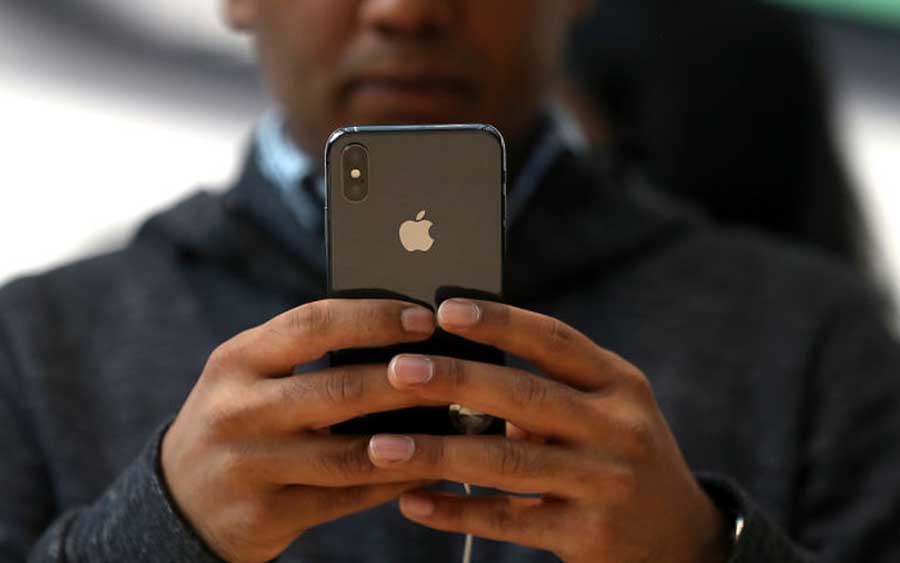
The rise in insecurity has called attention to a hitherto ignored security feature on most android devices and iPhones. Indeed, these hand-held gadgets can become lifesavers in emergency situations such as kidnap or other forms of threat to life and safety.

Android devices and iPhones have emergency features that you can activate in times of needs. You may not have the time to make a phone call or send a message when you are in danger but these features can help you do that by alerting your emergency contacts and sending your location and sometimes, a recording to alert people of your situation.


MoreStories

Trump Tariff of Countries List

Trump tariffs: US swings to $1.45 billion trade surplus with Nigeria 

January 26, 2026
Nigeria’s foreign reserves rise by $540.28 million in two weeks to $43.17 billion 

Nigeria’s external reserves seen holding up in 2026 despite election year

January 26, 2026

Here is how to activate this feature.

READ: Whatsapp to require biometric authentication for PC and web access

How to activate the SOS safety feature on Android phones in case of an emergency

  • First, navigate to your ‘Settings’
  • Tap ‘Advanced Features’
  • Tap ‘SOS Messages’
  • Tap the switch at the top of the screen; read the information and then tap ‘Continue’
  • Review the required permissions
  • Tap ‘Start’
  • From here, select either ‘Create Contact’ or ‘Select from Contacts’
  • Choose your emergency contact – they will be the ones to receive the SOS alerts. You can also add multiple contacts.
  • Adjust the different settings. For example, you can adjust how many times you need to press the Side key or Power key before an alert is sent. You can also decide if you’d like to attach images or an audio recording to the SOS message.

Once this setup is completed, you can send emergency SOS messages whenever you are in danger by pressing the Side key or Power key 3 or 4 times rapidly. This will send an SOS message to your designated contact(s).

Note:

The phone must have an active SIM card in order to send an SOS alert. When using the SOS feature, your location, photo, and voice recording will be sent the first time a call is made. It will only send updated locations (every 30 minutes for a span of 24 hours) if you have changed your location.

How to activate the emergency safety feature on iOS phones

Triggering the Emergency SOS on your iPhone is easy.

Simply hold down the lock button and one of your volume buttons together for 5 seconds to trigger an SOS call to emergency services. Keep holding it to initiate an automatic call and the phone’s siren.

Alternatively, if you’ve enabled an extra feature in your settings, you can use just the screen lock button alone — click it five times in a row to initiate the siren feature.

Again, you can activate this through Apple’s Health app:

  • Open your iPhone’s Health app and tap your profile picture
  • Select ‘Medical ID’ in the next menu
  • Tap ‘Edit’ and then scroll down to your ‘Emergency Contacts’ section
  • Tap the ‘Add’ button to select a contact, and you can indicate their relationship to you
  • Tap ‘Done’ to save changes

After initiating the Emergency SOS feature, iPhone will send each listed emergency contact a text message with a current location and a message that you’ve initiated the SOS. Your location services will automatically turn on when this feature is used, and if you are moving, your contacts will get an update about your final destination.

Why this matters

There are numerous reasons for people to be extra cautious when stepping out these days. Activating this emergency feature on your phone can help to keep you and your loved ones safe in these times of rising insecurity.



Add Nairametrics on Google News
Follow us for Breaking News and Market Intelligence.
Tags: Android safety and emergency featureFeaturediPhone safety and emergency feature
Janet John

Janet John

Janet John is a graduate of Chemical Engineering from the University of Uyo. She specializes in technical writing where she creates easy to read documentation, articles to clearly and efficiently explain highly complex processes. When she is not writing, she works as a freelance front-end developer

Next Post
Heirs Oil & Gas announces CEO and Board appointments

Heirs Oil & Gas announces CEO and Board appointments

Leave a Reply Cancel reply

Your email address will not be published. Required fields are marked *

rabafast

access bank
nairametrics


DUNS

Follow us on social media:

  • HOME
  • ABOUT NAIRAMETRICS
  • CONTACT US
  • DISCLAIMER
  • ADs DISCLAIMER
  • COPYRIGHT INFRINGEMENT

© 2026 Nairametrics

Welcome Back!

Login to your account below

Forgotten Password? Sign Up

Create New Account!

Fill the forms below to register

All fields are required. Log In

Retrieve your password

Please enter your username or email address to reset your password.

Log In
Social Media Auto Publish Powered By : XYZScripts.com
No Result
View All Result
  • Home
  • Exclusives
    • Recapitalization
      • Access Holdings Offer
      • Fidelity Bank Offer
      • GTCO Offer
      • Zenith Bank Offer
    • Financial Analysis
    • Corporate Stories
    • Interviews
    • Investigations
    • Metrics
    • Nairalytics
  • Economy
    • Business News
    • Budget
    • Public Debt
    • Tax
  • Markets
    • Currencies
    • Cryptos
    • Commodities
    • Equities
      • Company Results
      • Dividends
      • Public Offer & Right Issues
      • Stock Market News
    • Fixed Income
    • Funds Management
    • Securities
  • Sectors
    • Agriculture
    • Aviation
    • Company News
    • Consumer Goods
    • Corporate Updates
    • Corporate deals
    • Corporate Press Releases
    • Energy
    • Entertainment
    • Financial Services
    • Health
    • Hospitality & Travel
    • Manufacturing
    • Real Estate and Construction
    • Renewables & Sustainability
    • Tech News
  • Financial Literacy
    • Career tips
    • Personal Finance
  • Lifestyle
    • Billionaire Watch
    • Profiles
  • Opinions
    • Blurb
    • Market Views
    • Op-Eds
    • Research Analysis
  • Login
  • Sign Up

© 2026 Nairametrics